How an app creates, loads, updates, archives and deletes cloud conversations, and how those conversations appear in the dashboard.
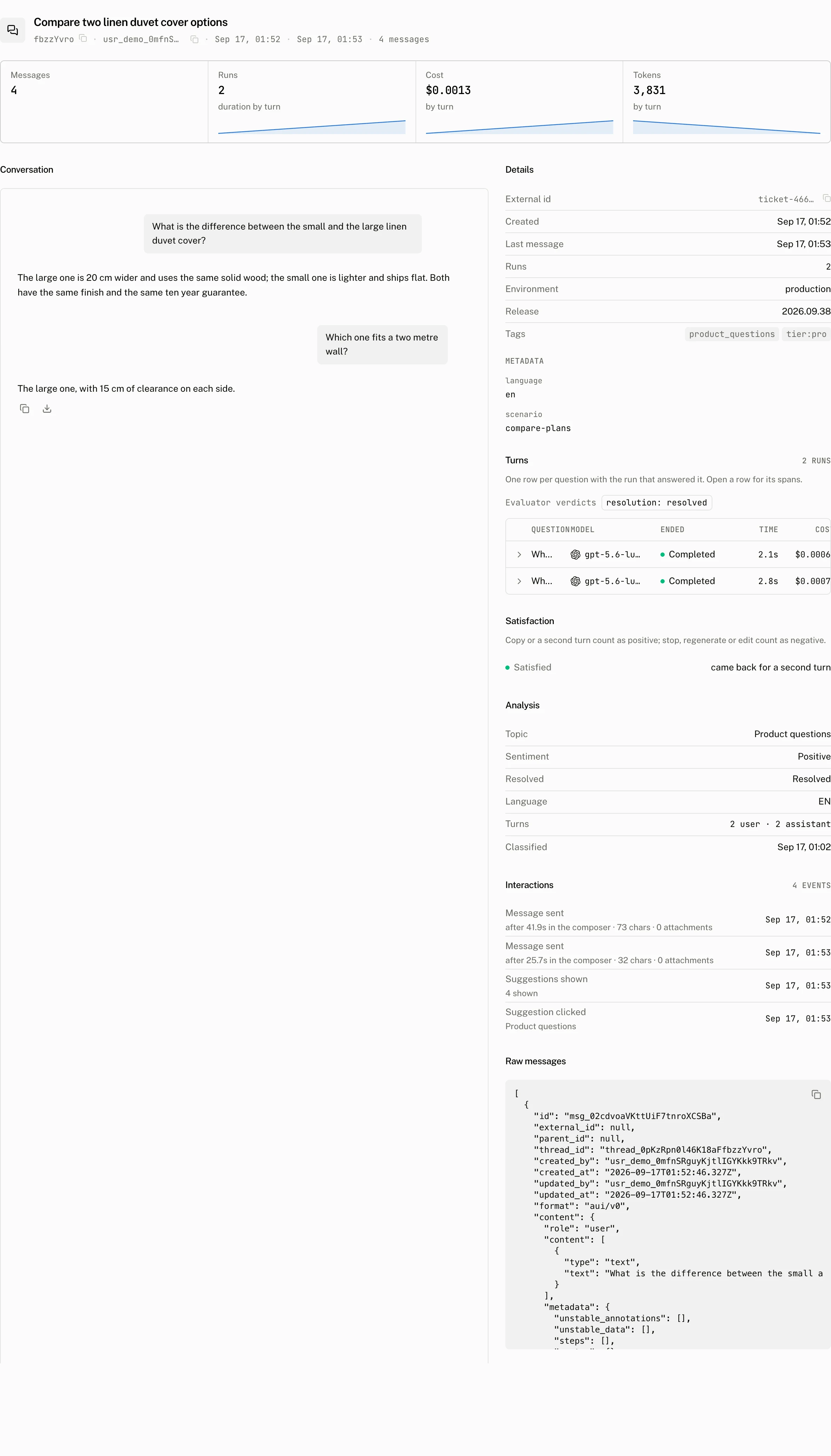
A thread is the cloud record for one conversation. Your app uses it to keep a thread list and its custom data, while the dashboard uses it to connect the transcript, runs and engagement signals for that conversation. For request and response fields, see the Threads API reference.
How a thread is created and loaded
The cloud thread list adapter creates a remote thread when its initialize() step runs. It first awaits your optional create callback, takes the callback's externalId, then creates the cloud record with that value and last_message_at set to the current time. That timestamp gives a new, empty thread a place in the list until its first message is stored. Every stored message advances last_message_at.
The adapter resolves and retains two ids. Its remoteId is the Assistant Cloud thread id used for cloud writes. Its externalId is the value from your create callback, or the external_id the cloud returned when it loaded an existing row. Return a stable external id when your application already has a conversation identifier.
Loading the thread list
The adapter loads regular and archived threads in parallel. Each request asks for 20 rows, and the adapter combines the two result sets into one list with regular or archived status. Its cursor is a merged cursor: it retains the active and archived cursors and records whether each side is exhausted, so the next page continues both sides without losing either one.
Within either request, the cloud orders threads by last_message_at and then id, newest first. A new message, or an update that changes a mirrored message body, therefore moves its thread forward the next time the list is loaded.
Configure the thread list
useCloudThreadListAdapter accepts the cloud client plus the callbacks that connect a cloud thread to your application. The adapter reads create and delete on every call, so changing either callback later takes effect without rebuilding it; only a different cloud instance needs a new adapter.
| Option | Default | Accepts | Effect |
|---|---|---|---|
cloud | The automatic anonymous cloud client when available | An AssistantCloud client | Backs the remote list. Without a client, the adapter uses an in memory thread list. |
sdk | None | An SDK identity | Registers the identity after the core SDK identity. |
create | None | An async callback that receives the thread list item's id and returns { externalId } | Runs before remote initialization. Its result is sent as the new thread's external_id. |
delete | None | An async callback that receives the cloud thread id | Runs and settles before the cloud thread is deleted. |
upsert | None | A boolean | Creates with upsert, so a create retried after a lost response reuses the thread that already has the returned external id instead of storing a second one. |
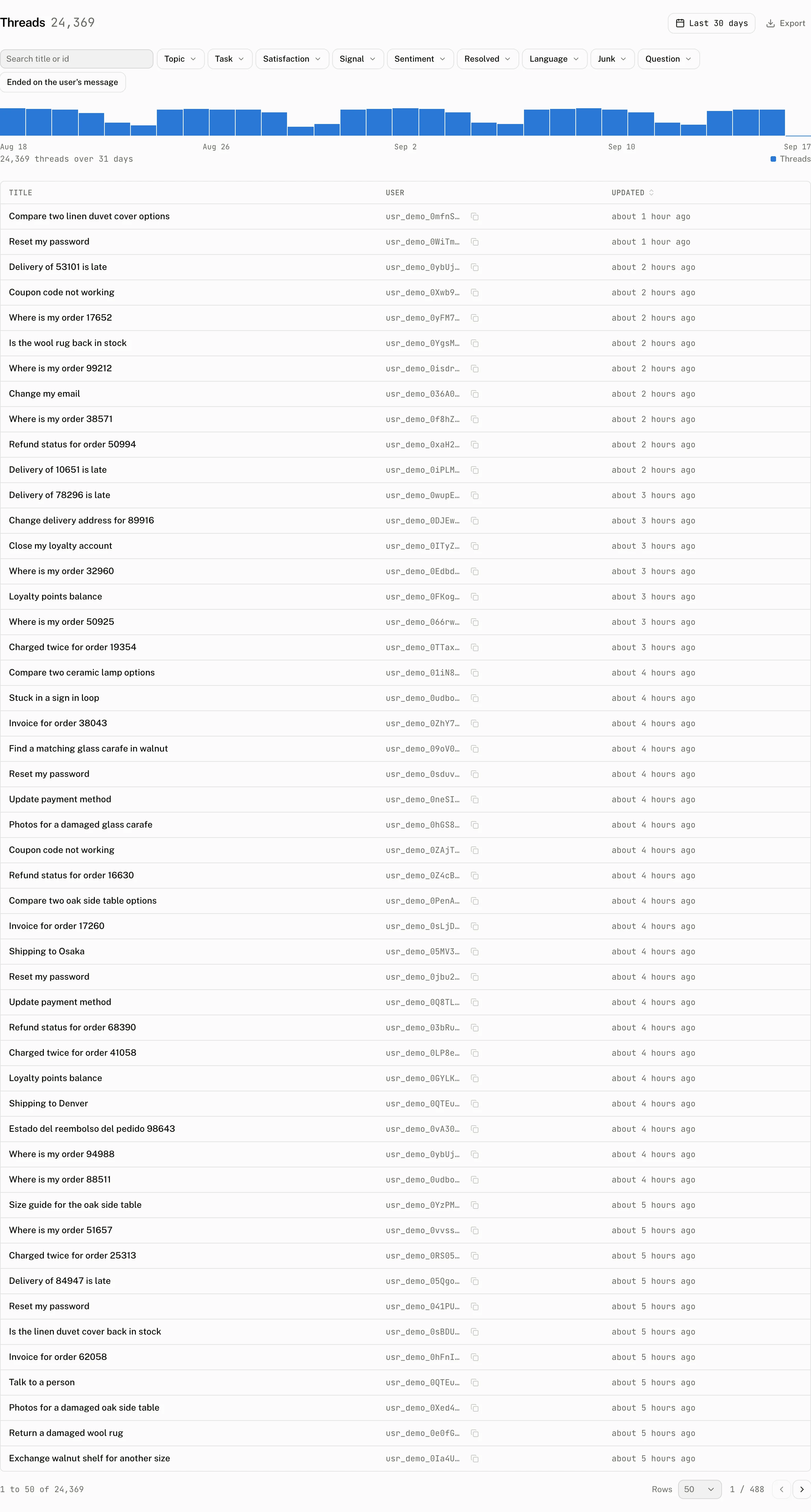
What the dashboard shows
For the dashboard's Threads table, marks, filters, Review view, and tabbed thread page, see Threads page.
From your code
Pass a stable application identifier through the initialization callback when you connect the adapter. The runtime keeps it as externalId while it uses the cloud id for remote operations.
const threadListAdapter = useCloudThreadListAdapter({
  cloud,
  create: async () => ({ externalId: conversation.id }),
  delete: async (cloudThreadId) => {
    const { external_id } = await cloud.threads.get(cloudThreadId);
    if (external_id) await removeConversationFromApplication(external_id);
  },
});
Thread list item actions make the following writes. The REST reference has the request shapes and status responses for each of these operations.
| Action | Cloud write |
|---|---|
| Rename | Updates the thread title. |
| Archive | Updates is_archived to true. |
| Unarchive | Updates is_archived to false. |
| Delete | Awaits your delete callback, then deletes the cloud thread. |
| Update custom data | Replaces metadata with the custom record, or clears it when no custom value remains. |
| Generate title | Sends text and tool call parts to the system/thread_title assistant. See Thread titles. |
The client also exposes direct operations when the application owns the interaction rather than a thread list item:
const { thread_id } = await cloud.threads.create({
  last_message_at: new Date(),
  external_id: "crm:conversation:42",
});

await cloud.threads.update(thread_id, {
  title: "Renewal discussion",
  metadata: { account: "42", source: "crm" },
});

await cloud.threads.update(thread_id, { is_archived: true });
Use external_id for an application lookup
external_id is your string, not a globally unique cloud identifier. Creating without upsert permits more than one thread in the same workspace to carry it. A REST lookup can ask for GET /v1/threads?external_id=crm:conversation:42 to find those rows.
curl https://backend.assistant-api.com/v1/threads \
  -H "Authorization: Bearer $ASSISTANT_API_KEY" \
  -H "Aui-User-Id: user_123" \
  -H "Aui-Workspace-Id: workspace_123" \
  -H "Content-Type: application/json" \
  -d '{ "last_message_at": "2026-09-17T09:30:00.000Z", "external_id": "crm:conversation:42", "upsert": true }'
curl "https://backend.assistant-api.com/v1/threads?external_id=crm:conversation:42" \
-H "Authorization: Bearer $ASSISTANT_API_KEY" \
-H "Aui-User-Id: user_123" \
-H "Aui-Workspace-Id: workspace_123"Create with upsert: true and an external_id, through cloud.threads.create or the REST API, when one application conversation must map to one cloud thread. The cloud serializes that creation per workspace and external id, so concurrent creates answer the same row. If duplicates already exist, it answers the oldest matching thread. The Threads API reference lists the responses of this idempotent creation path.
Store only flat custom metadata
Metadata is an object with at most 16 keys. Each key can contain up to 64 characters and every value must be a string of up to 512 characters. An update replaces the complete metadata object. Sending null to the API clears it. The runtime only exposes metadata as custom data when the server value is a record.
Costs and limits
There is no separate allowance for thread creation, list loading or thread list actions. The limits that shape this surface are below. Message storage has its own Messages limits.
| Limit | Value |
|---|---|
| Runtime thread list page | 20 active and 20 archived rows per load |
| REST list page | 1 to 100 rows, 20 by default |
| Thread title | 1 to 255 characters |
| External id | 1 to 255 characters |
| Metadata | At most 16 string values. Keys have at most 64 characters and values have at most 512 characters. |
Deleting a thread removes its messages and the thread row in one transaction. It does not remove the thread's runs, spans or scores. Those records remain available to the Runs page, cost figures and usage history until retention removes them.
Troubleshooting
| What you see | Why | What to do |
|---|---|---|
| One conversation appears twice | external_id is not unique on an ordinary create, or the application returned a different external id for the same conversation. | Return one stable external id. When creation must be idempotent, pass upsert: true to the thread list adapter, or create through the Threads API with upsert: true. |
| An archived thread is missing from a custom list | A cloud list request has one archive state. is_archived: false never returns archived rows. | Request is_archived: true, or use the cloud thread list adapter, which loads both states in parallel. |
| A thread has no messages after switching runtimes | A thread id can be shared, but each runtime persists and loads its own message format. The local runtime loads aui/v0; the AI SDK runtime loads its converted ai-sdk/v6 history. | Keep the same runtime for a thread, or use a supported read conversion described in Messages. |
| Deleting a thread leaves runs in the dashboard | Thread deletion intentionally removes messages and the thread only. Runs, spans and scores are separate records. | Use the retention policy for eventual removal, and expect historical run and usage views to keep those records until then. |