Decide how Assistant Cloud identifies a user, choose the workspace that owns their threads, and manage user visibility and erasure.
Assistant Cloud records activity against a user and stores each thread in one workspace. The identity your client sends decides both values. That choice is also your visibility policy: callers in the same workspace can reach the same threads, while callers in different workspaces cannot.
Identity and thread ownership
| Client mode | User value | Workspace value |
|---|---|---|
| Anonymous | A generated usr_anon_ id. | The same anonymous id. |
| Auth provider token | The JWT sub. | The configured workspace claim. Auth rules created in the dashboard leave that claim unset, so this is sub. |
| API key | userId from the AssistantCloud constructor, sent as Aui-User-Id. | workspaceId from the constructor, sent as Aui-Workspace-Id. |
{
  "sub": "user_123",
  "iss": "https://auth.example.com",
  "aud": "assistant-cloud",
  "exp": 1790000000
}
A rule created in the dashboard takes both identities from sub, so this token acts as user user_123 in workspace user_123. A shared workspace, such as one per organization, is named by your server on the API key path:
GET https://backend.assistant-api.com/v1/threads
Authorization: Bearer sk_aui_proj_…
Aui-User-Id: user_123
Aui-Workspace-Id: org_acme
Every user id and workspace id must be 1 to 255 characters and cannot contain whitespace or control characters. A provider token with an invalid subject is refused as 403 "JWT sub is not a valid user ID: …"; an invalid provider workspace claim is 403 "JWT <claim> is not a valid workspace ID: …". An API key request with either invalid header is refused as 403 "Invalid Aui-User-Id header" or 403 "Invalid Aui-Workspace-Id header". The underlying validation rule is ID cannot contain whitespace or control characters.
A workspace owns its threads. The cloud checks a thread by looking for it in the caller's project and workspace, not merely by its id. Pick the workspace id according to the sharing experience you want:
| Workspace strategy | Workspace value | Who sees the threads |
|---|---|---|
| Personal workspace | The user id | Only that user's calls. This is the default outcome for anonymous sessions and the dashboard's auth rules. |
| Organization workspace | The organization id | Every caller you configure with that organization id. Use this for a shared team conversation space. |
| Organization and user pair | A stable pair such as ${orgId}_${userId} | The user's own conversations within that organization. Another member gets a different workspace. |
Changing the strategy changes the workspace the client asks for. Existing threads stay in the workspace that already owns them, so a new strategy does not make them appear under a different workspace.
What the dashboard shows
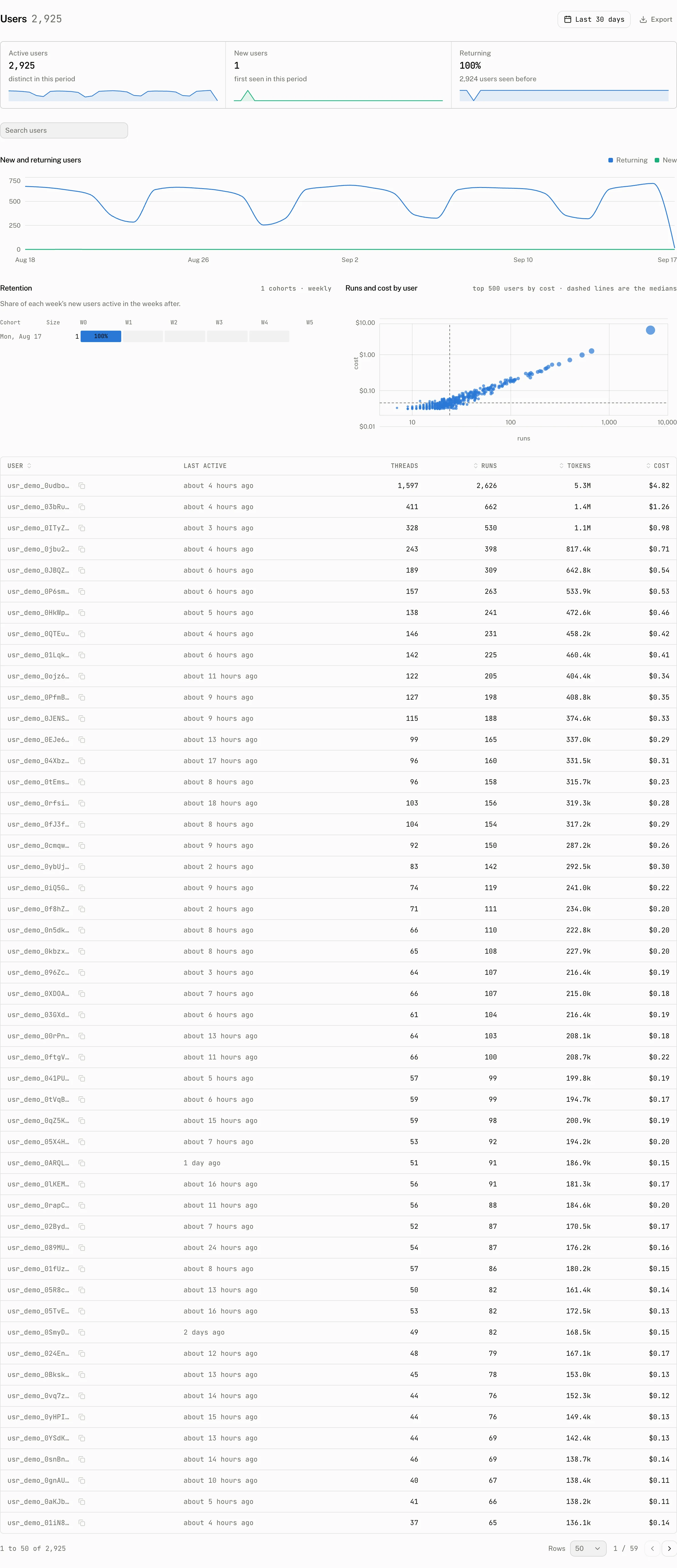
The Users page is the project view of usage. Its tiles show Active users, New users, and Returning. The table has sortable User, Runs, Tokens, and Cost columns. It starts with 50 users and sorts by runs; you can search and page through the result. The page also shows a daily new and returning user chart, a retention chart that measures each week's new users in the weeks after, and a runs and cost by user chart.
Display names in this page and the thread lists come from an auth provider rule Name claim. If no name is recorded, the dashboard shows the user id.
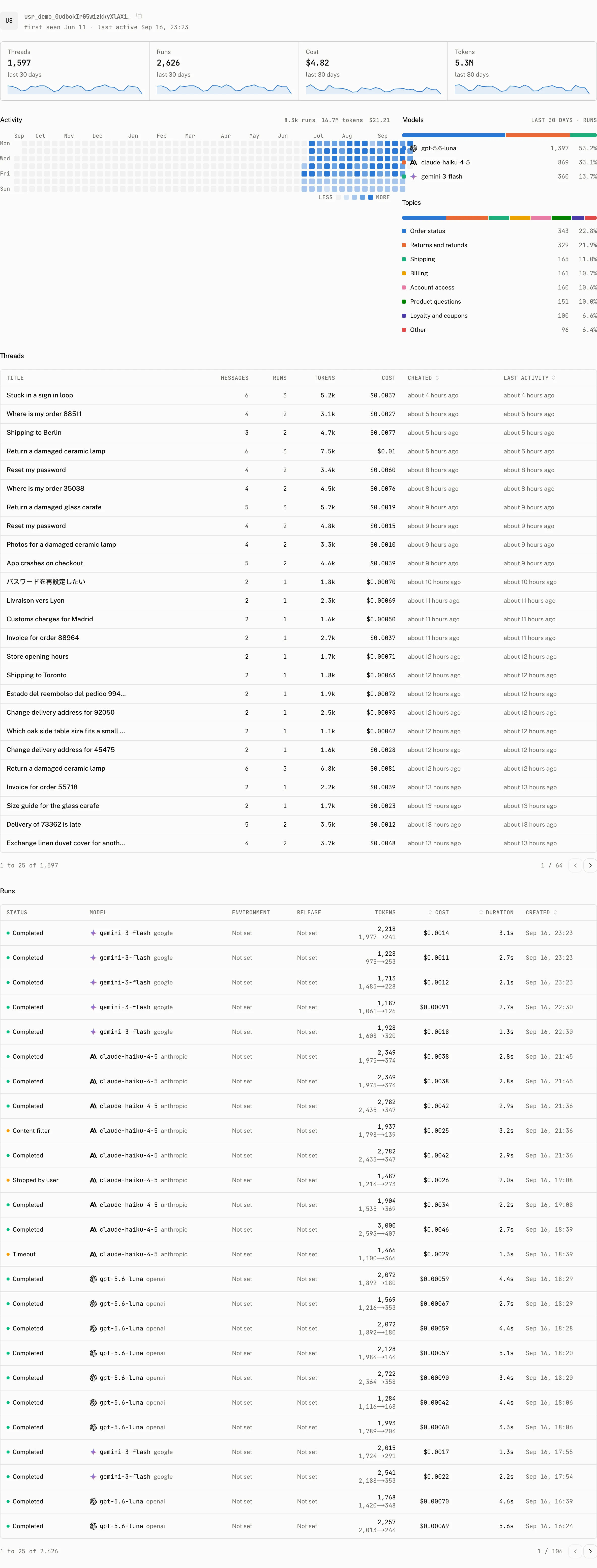
Selecting a user opens a fixed 30 day view. Its tiles are Threads, Runs, Cost, and Tokens. The rest of the page shows the user's Models distribution, Topics, Threads, and Runs in that same 30 day window, along with first seen and last active information. A user with no usage in that window is not found by the user detail data.
Active users and the monthly limit
An active user is recorded when the cloud accepts a new user message. The period is the UTC calendar month, from the first day at 00:00 through the next first day at 00:00. Repeating a message through its external_id does not charge the user again, and a user already active in the period may continue after the cap.
| Plan | Active users included | Active user cap |
|---|---|---|
| Free | 200 | 200 |
| Pro | 500 | 5,000 |
| Startup | 10,000 | 100,000 |
| Enterprise | No limit | No limit |
The cloud enforces this only when POST /v1/threads/{thread_id}/messages creates a user message for a user not already active in the period. When the project's active user cap is reached, that request answers 402 with this body shape:
{
  "error": "plan_limit_reached",
  "plan": "free",
  "period_end": "2026-10-01T00:00:00.000Z",
  "cap": 200
}
The plan, period_end, and cap values identify the project and its current UTC period. A new user can send messages again in the next period. Read pricing for the plan that applies to your project.
Erase a user through the API
The dashboard has no erase or delete control. Use DELETE /v1/projects/users/{user_id} with an API key on the backend host. The route requires API key authentication and refuses another credential with 403 "Project-wide user deletion requires API key authentication". Its userId parameter follows the same 1 to 255 character, no whitespace or control character rule.
DELETE /v1/projects/users/usr_123
Authorization: Bearer sk_aui_proj_abcdef123456_secret
Aui-User-Id: service
Aui-Workspace-Id: service
curl https://backend.assistant-api.com/v1/projects/users/usr_000000000000000000000000 \
-X DELETE \
-H "Authorization: Bearer $ASSISTANT_API_KEY" \
-H "Aui-User-Id: user_123" \
-H "Aui-Workspace-Id: workspace_123"On success it returns the number of that user's threads deleted and runs reattributed: { "threads": number, "runs": number }. The cloud completes the following work in one transaction:
- It clears span input and output for runs on the user's threads or runs created by that user.
- It deletes the user's thread messages and then their threads.
- It redacts messages the user wrote in another user's thread to
{}and changes their creator tousr_deleted. - It reattributes message and thread update fields to
usr_deleted. - It deletes the user's workspaces, project user record, refresh tokens, authored scores, client events, and daily client events.
- It reattributes runs created by the user to
usr_deleted. - It folds the user's daily run rows into the
usr_deletedrollup, then removes the user's own rows.
After the transaction commits, the cloud writes an audit entry with action user.erase, resource type user, the API key actor, and the result. The route may also answer the authentication failures in Authentication, or 400 when the path id fails validation.
Troubleshooting
| What you see | Why | What to do |
|---|---|---|
| Threads disappear after you change the workspace strategy | The existing threads remain in the workspace that created them. | Continue to use the former workspace id for those threads, or choose the new strategy before creating new threads. |
| A user is shown as an id | No Name claim from a remaining auth rule has recorded a display name. | Set a Name claim in an auth rule and send a token that carries a nonempty value for it. |
A new user receives 402 plan_limit_reached | The project reached its active user cap for the UTC month. | Use the response's period_end to determine when the next period begins, or change to a plan with a higher cap. |