Give a browser visitor a cloud identity before sign in, keep its threads for 30 days, and claim them after authentication.
Anonymous sessions let a visitor start a conversation before they sign in. The cloud gives that visitor a usr_anon_ identity, uses the same id as its workspace, and stores its threads there until an identified user claims them. In a browser, the client keeps the identity alive between visits. On React Native and React Ink, where this client has no storage, the identity lasts for one launch.
How an anonymous session works
The browser's anonymous client follows this sequence.
Find a usable refresh token. The client reads localStorage key aui:refresh_token:${baseUrl}, after normalizing the base URL by removing one trailing slash. On its first use, it also moves the old unscoped aui:refresh_token value to the base URL specific key. A token with 30 seconds or less left is removed.
Refresh when possible. With a stored token that has more than 30 seconds remaining, the client calls POST /v1/auth/tokens/refresh. A successful response supplies a new access token and advances the existing refresh token's expiry to 30 days from that refresh. The refresh token is not rotated, so losing a refresh response does not create another anonymous identity.
Create an identity when needed. If there is no usable stored token, the client calls POST /v1/auth/tokens/anonymous. The cloud creates a usr_anon_ id, uses it for both the user and workspace, and returns an access token plus a refresh token that expires 30 days later.
Use the access token. The client sends the access token as a bearer token on cloud requests. It retains the refresh token only in browser storage, so an app without that storage begins with a new identity on its next launch.
Both token requests have a 30 second deadline. The client shares one request among calls using the same localStorage and base URL. When Web Locks are available, tabs serialize their token requests through the assistant-cloud:anonymous-auth:${baseUrl} lock: a second tab waits for the first and then reads the stored token, or makes its own request when it still needs one.
If a refresh returns 429 or a 5xx status, the client throws Assistant Cloud token refresh failed with status <n> instead of silently making another identity. For every other non success refresh response, it treats the old token as unusable and asks for a new anonymous token. A malformed success response also fails rather than being used.
readAnonymousRefreshToken(baseUrl) returns the stored refresh token only when its expiry is more than 30 seconds away. It returns null when no token exists, storage is unavailable, or the token is about to expire. Use it only to hand the anonymous identity to a signed in claim request.
Letting a runtime create the client
On Next.js, when you do not pass cloud, the cloud thread list adapter creates an anonymous client from NEXT_PUBLIC_ASSISTANT_BASE_URL. useLocalRuntime and useChatRuntime reach that adapter, so the same default applies to them. If the variable is absent, no cloud client is created and the thread list falls back to in memory state. Vite, React Router and TanStack Start do not expose that variable to the browser, so create the client as shown below and pass it.
Configure anonymous access
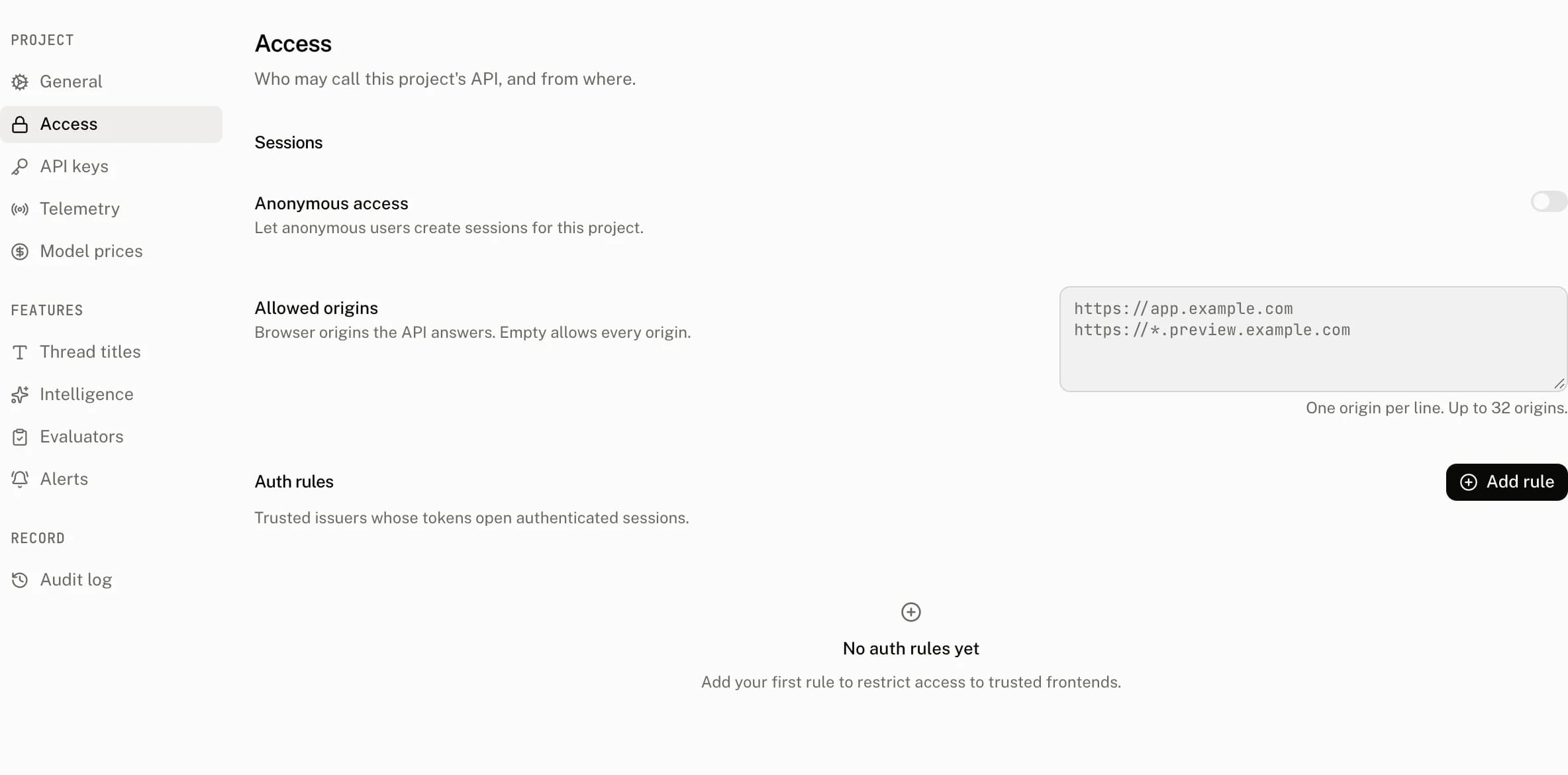
| Control | Default | Accepts | Effect |
|---|---|---|---|
| Anonymous access | On | On or off | Allows a browser to mint or refresh an anonymous session for this project. Turning it off refuses both anonymous token routes. |
Open Settings › Access and turn Anonymous access off when visitors must sign in before using the cloud; the switch applies at once. The API checks the policy before minting or refreshing a token, and checks it again while creating the first token row.
Anonymous access is not allowedFrom your code
The browser examples below read the Next.js variable; on Vite, React Router and TanStack Start read import.meta.env.VITE_ASSISTANT_BASE_URL instead.
Create an anonymous browser client with the project's frontend base URL:
import { AssistantCloud } from "assistant-cloud";

export const cloud = new AssistantCloud({
  baseUrl: process.env.NEXT_PUBLIC_ASSISTANT_BASE_URL!,
  anonymous: true,
});
The first token response has this shape:
{
  "refresh_token": {
    "token": "refresh_0…",
    "expires_at": "2026-10-17T09:30:00.000Z"
  },
  "access_token": "ey…"
}
After sign in, claim the visitor's threads with an authenticated browser client. The signed in identity must be different from the anonymous one.
import { AssistantCloud, readAnonymousRefreshToken } from "assistant-cloud";

const refreshToken = readAnonymousRefreshToken(
  process.env.NEXT_PUBLIC_ASSISTANT_BASE_URL!,
);

const signedInCloud = new AssistantCloud({
  baseUrl: process.env.NEXT_PUBLIC_ASSISTANT_BASE_URL!,
  authToken: getAccessToken,
});

if (refreshToken) {
  const result = await signedInCloud.threads.claim({
    refresh_token: refreshToken,
  });
  console.log(result.moved);
}
An API key client can make the same claim from your server. Send the refresh token to that server only after the user has signed in, then construct the key client for the user's destination workspace.
import { AssistantCloud } from "assistant-cloud";

export async function POST(request: Request) {
  const account = await requireSignedInAccount(request);
  const { refresh_token } = (await request.json()) as { refresh_token: string };

  const cloud = new AssistantCloud({
    apiKey: process.env.ASSISTANT_API_KEY!,
    userId: account.id,
    workspaceId: account.workspaceId,
  });
  const result = await cloud.threads.claim({ refresh_token });
  return Response.json(result);
}
moved is the number of threads reassigned to the caller's workspace. The threads keep their ids and messages. It is 0 when the anonymous workspace does not exist, or when the source and destination are the same workspace. An anonymous caller cannot claim threads and receives Anonymous sessions cannot claim threads.
The underlying request is:
POST /v1/threads/claim
Authorization: Bearer <signed-in token>
Content-Type: application/json

{ "refresh_token": "refresh_0…" }{ "moved": 3 }Costs and limits
An anonymous identity becomes an active user when it stores a user message, the same as any other user id. It therefore counts toward the plan's active user limit for the current UTC calendar month.
| Route | Limit | Limit response |
|---|---|---|
POST /v1/auth/tokens/anonymous | 30 requests per 60 seconds per client IP | 429, Retry-After: 60, and { "error": "rate_limited" } |
POST /v1/auth/tokens/refresh | 120 requests per 60 seconds per client IP | 429, Retry-After: 60, and { "error": "rate_limited" } |
The anonymous token and refresh routes do not require an Authorization header. They use the project encoded in the frontend request host. A missing project answers Project not found; an invalid frontend host answers Invalid issuer format or projectId.
Troubleshooting
| What you see | Why | What to do |
|---|---|---|
| A visitor gets a new identity on every visit | The browser cannot read or retain the refresh token, or the token is within 30 seconds of expiry. React Native and React Ink do not retain this browser token between launches. | Use browser storage when the session must survive a visit. For a native or terminal app, sign the user in or accept a new anonymous identity each launch. |
Several tabs receive 429 during a burst | The anonymous route permits 30 requests per 60 seconds per client IP, and the tabs could not share an in flight request. | Wait for the Retry-After period. Keep the same base URL and allow Web Locks where the browser supports them. |
Claim reports moved: 0 | The refresh token's anonymous workspace does not exist, or it is already the caller's workspace. | Confirm that the browser read the token before sign in and that the destination is a different signed in workspace. |
| Claim is refused | The caller is anonymous, the token is not prefixed refresh_0, or it is not a live anonymous token for this project. | Claim with a signed in client and the token returned by readAnonymousRefreshToken. |
| Anonymous token requests are refused | Anonymous access is off. | Turn it on in Settings › Access, or require sign in before creating a cloud client. |
| Refresh throws after a server error | A 429 or 5xx refresh is surfaced instead of creating a second identity. | Retry after the service or rate limit recovers. |