Telemetry endpoints, trace links, the page that draws a conversation as shown, and the SDK clients sending data to a project.
Settings › Telemetry connects the browser and server endpoints to the project, optionally links stored trace IDs to your trace backend, names the page of your app that draws a conversation as your users saw it, and shows which SDK versions still send requests. It is the page to check when telemetry reaches the cloud but a trace or client row is missing.
Endpoints
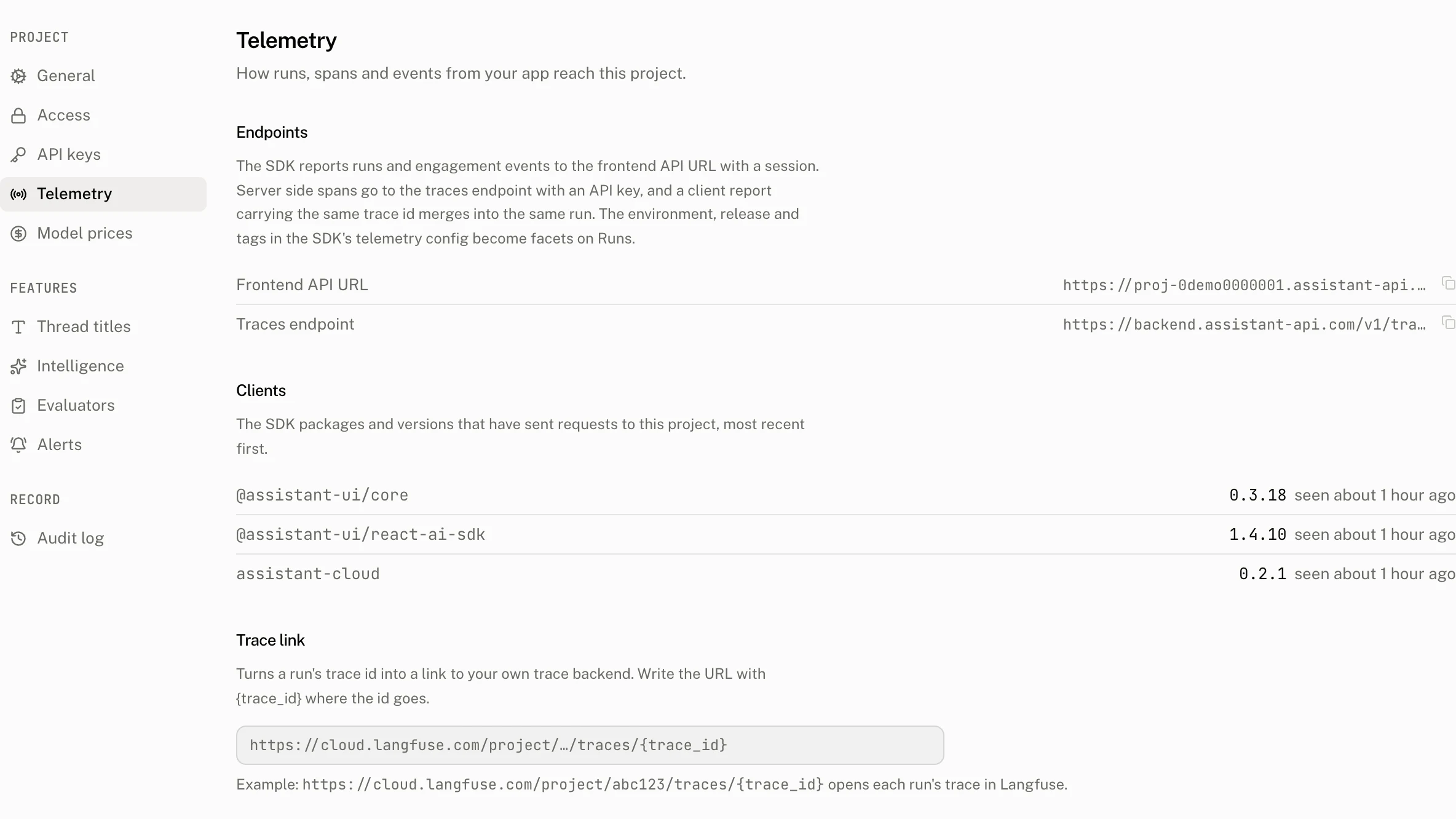
The endpoints are read only. Browser SDKs report runs and engagement events to the Frontend API URL with a session. Server side spans use the traces endpoint with an API key. A client report and a server span with the same trace ID merge into the same run.
| Row | Use | Value |
|---|---|---|
| Frontend API URL | Browser telemetry | The project's browser endpoint. |
| Traces endpoint | Server side spans | For a Frontend API URL on *.assistant-api.com, https://backend.assistant-api.com/v1/traces. For another origin, {origin}/v1/traces. |
Trace link
Trace link template turns a stored trace ID into a link to your trace backend. It may be empty, but when present it must be no more than 512 characters and include the literal {trace_id}. Otherwise the page reports Trace link must include {trace_id}.
For example, https://cloud.langfuse.com/project/abc123/traces/{trace_id} opens each run's trace in Langfuse. The Run detail page turns its Trace id row into that link when the run has a trace ID and the template is saved.
A member saves the template with the project update. The audit log records the write as project.update.
Renderer URL
Renderer URL names a page of your app that mounts CloudRendererHost. Once it is set, a thread's Conversation offers As shown next to Structured, drawn by that page; see Conversation views. The page receives the whole conversation, attachments included, so point it only at a page you run.
The URL must be https, or http on localhost or 127.0.0.1 while you develop, with no credentials and no wildcard host, and at most 2,048 characters; anything else is refused with Invalid renderer URL. A fragment is dropped. Owners and admins save or clear it, and other members see it read only. The audit log records the write as project.update with renderer_url before and after.
Clients
The Clients list answers which SDK packages and versions have sent requests to this project, so you can find apps that still use an old SDK release.
Each request can carry an Aui-Sdk header with up to 8 name/semver tokens. A name can be up to 214 characters and a version up to 64 characters. The cloud records a client at most once per project, name and version every 10 minutes.
| Page behavior | Detail |
|---|---|
| Ordering | Most recently seen first. Ties sort by name, then version. |
| Row | SDK name, SDK version and when it was last seen. |
| Empty state | No SDK requests yet |
| Retention | A client not seen for 180 days is removed. |
Troubleshooting
| What you see | Why | What to do |
|---|---|---|
| A client is missing | Its requests did not supply an Aui-Sdk token the cloud can record, or the latest write is within the 10 minute throttle. | Send a request with the package name/semver token and check the list after the throttle window. |
| A trace link does not appear on a run | The run has no trace ID, or no saved template contains {trace_id}. | Store the run's trace ID and save a template that includes the literal placeholder. |
| The template is refused | It exceeds 512 characters or does not contain the required placeholder. | Shorten it if needed and include {trace_id} exactly. |
| The Renderer URL is refused | It is not https (or http on localhost or 127.0.0.1), carries credentials or a wildcard host, or is longer than 2,048 characters. | Use the page's https URL, or http://localhost or http://127.0.0.1 while you develop. |