Give any backend Assistant Cloud threads, persistence, titles and run reports through useLocalRuntime, or compose the cloud thread list around a runtime of your own.
useLocalRuntime runs your own chat model adapter, whatever protocol your backend speaks. Given a cloud, it gains the full Assistant Cloud integration: a remote thread list, persisted messages, automatic titles, run reports, engagement events, feedback and attachments. useDataStreamRuntime forwards the same local-runtime options, including cloud and scopeId, so it uses the same thread list and adapters.
Setup
"use client";

import { useMemo } from "react";
import {
  AssistantCloud,
  AssistantRuntimeProvider,
  useLocalRuntime,
  type ChatModelAdapter,
} from "@assistant-ui/react";
import { ThreadList } from "@/components/assistant-ui/elements/thread-list.aui";
import { Thread } from "@/components/assistant-ui/elements/thread.aui";

const adapter: ChatModelAdapter = {
  async *run({ messages, abortSignal }) {
    const response = await fetch("/api/chat", {
      method: "POST",
      body: JSON.stringify({ messages }),
      signal: abortSignal,
    });
    const reader = response.body!.getReader();
    const decoder = new TextDecoder();
    let text = "";
    for (;;) {
      const { value, done } = await reader.read();
      if (done) break;
      text += decoder.decode(value, { stream: true });
      yield { content: [{ type: "text", text }] };
    }
  },
};

async function getToken() {
  // Return a user token from your auth provider.
  return "...";
}

export default function ChatPage() {
  const cloud = useMemo(
    () =>
      new AssistantCloud({
        baseUrl: process.env.NEXT_PUBLIC_ASSISTANT_BASE_URL!,
        authToken: getToken,
      }),
    [],
  );
  const runtime = useLocalRuntime(adapter, { cloud });

  return (
    <AssistantRuntimeProvider runtime={runtime}>
      <div className="grid h-dvh grid-cols-[240px_1fr]">
        <ThreadList />
        <Thread />
      </div>
    </AssistantRuntimeProvider>
  );
}
On Next.js, useLocalRuntime(adapter) with NEXT_PUBLIC_ASSISTANT_BASE_URL set and no cloud uses an anonymous client, like the AI SDK runtime. On Vite, React Router and TanStack Start construct the client from import.meta.env.VITE_ASSISTANT_BASE_URL and pass it; on React Native and Ink construct the client from assistant-cloud and pass it. If the mounted runtime can switch accounts or workspaces, pass their stable identity as scopeId from the first render; defer mounting the runtime until that identity is available.
What the cloud adds
| Capability | How it works with useLocalRuntime |
|---|---|
| Thread list | The local runtime uses the cloud thread-list adapter through a remote thread-list runtime. The adapter creates the remote thread, lists active and archived threads, and writes title, archive, rename and delete actions to the project. |
| Persistence | The history adapter appends and updates assistant-ui ThreadMessage values in the aui/v0 format, then loads only rows in that format for the local runtime. |
| Titles | The cloud title action sends a thread's text and tool-call parts to the project title assistant. |
| Run reports | Terminal assistant messages become reports with their status, outcome, error, first-token time, tool calls and metadata. |
| Engagement, feedback and attachments | The history adapter subscribes to runtime interactions, supplies the default feedback adapter, and shares the cloud file attachment adapter with the thread list. |
useDataStreamRuntime first separates its data-stream options from local-runtime options, then passes the latter to useLocalRuntime. Supplying cloud therefore gives a data-stream runtime the same remote list, aui/v0 history, reporting, engagement, feedback and attachment adapters.
Store local messages as aui/v0
The cloud stores local-runtime history under format: "aui/v0". A row contains an assistant, user or system message, its status, content and metadata. The server supplies the top-level id and creation time when it reads the row back.
| Stored area | Supported values | Encoding rule |
|---|---|---|
| Message content | text, reasoning, source, tool-call, image, file, data, audio, generative-ui | Each part is written in the format's matching part shape. |
| Attachments | text, image, file, audio, data | Attachments are written only on user messages that have at least one attachment. |
| Tool-call fields | artifact, modelContent, providerMetadata, unstable_interactions | Preserved with the tool call. |
| Tool-call children | Nested messages | Nested messages keep their own id and ISO creation time. Missing nested ids are synthesized when the message is read. |
| Situation | Stored result |
|---|---|
A message is still running | It is stored as incomplete with reason cancelled, because a running client process cannot be restored as an active stream. |
| A tool call has structured arguments | It stores args when its JSON text matches argsText; otherwise it stores argsText. |
| A message or attachment has an unknown part type | Encoding throws instead of silently dropping a part. |
See Stored message formats for the complete aui/v0 shape.
Report a local run
Status and outcome come from the assistant message state. An incomplete message with an error becomes an error report; a complete message can use its finish reason for outcomes such as aborted, length or content_filter. First-token time is reported when the message carries metadata.timing. This path sends no run duration or step timing.
yield {
  content: [{ type: "text", text }],
  metadata: {
    custom: { modelId: "gpt-6-luna", provider: "openai", traceId },
    unstable_state: null,
  },
};| Message value | Report use |
|---|---|
metadata.custom.modelId | Supplies model_id. |
metadata.custom.provider | Supplies provider. |
metadata.custom.traceId | Supplies trace_id when it is valid. |
metadata.custom | Becomes report metadata. |
metadata.steps[].usage | Supplies per-step usage and the aggregate usage, summed across steps. |
metadata.finishReason | Supplies a finish reason when the message is not incomplete. |
metadata.timing.firstTokenTime | Supplies time to first token. |
A run waiting for tool approval has requires-action status. Its message is persisted when the run pauses and updated after it resumes, but its telemetry extractor returns no report while it is paused. The terminal assistant message is the one reported.
The extractor reads only assistant messages. It keeps an incomplete status as incomplete and treats every other eligible status as completed. It reports tool calls with arguments, results and ids, but aui/v0 tool calls have no tool source. It concatenates text parts into output text capped at 50,000 characters, and sums usage from message steps without turning an absent counter into zero.
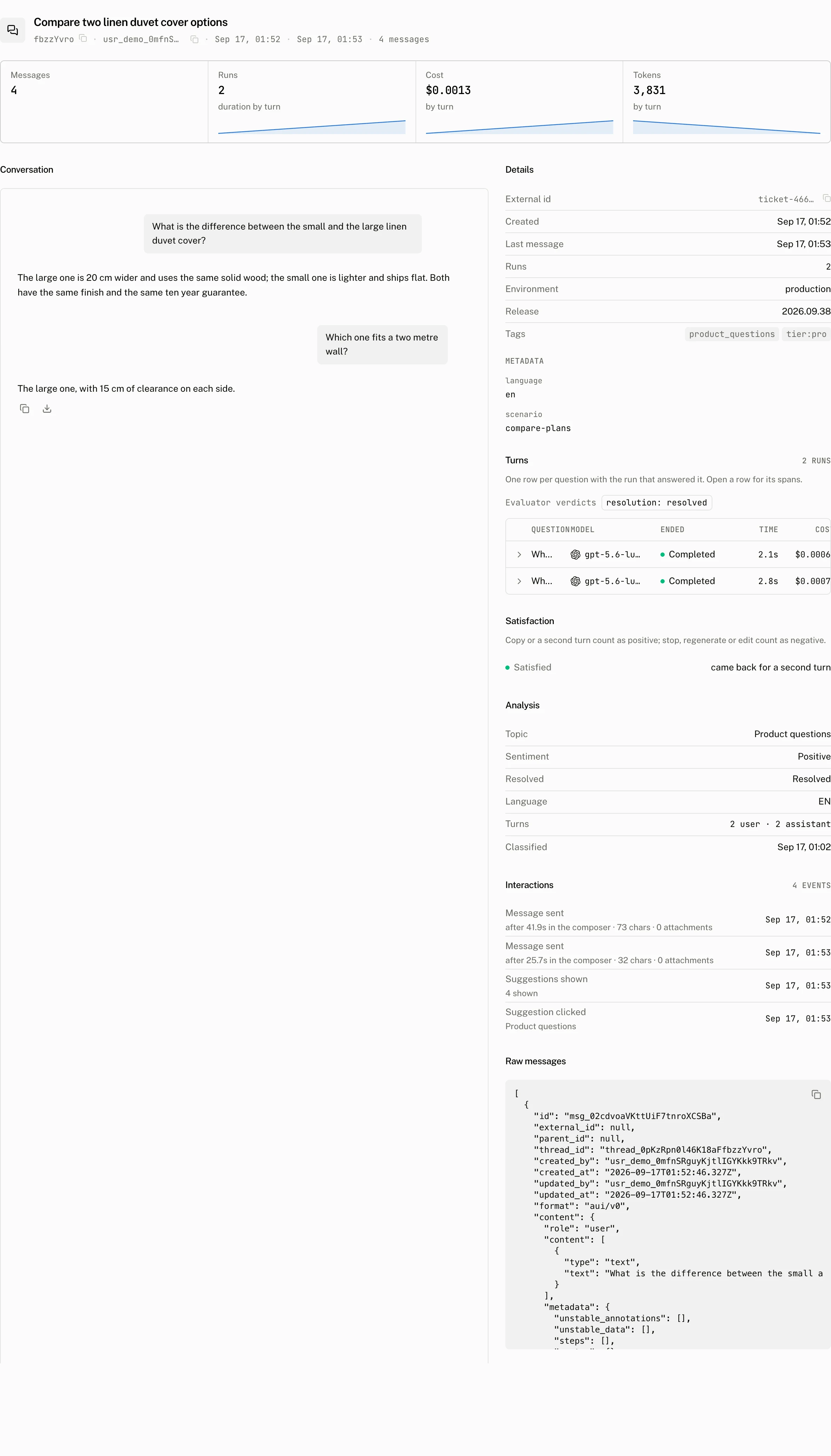
Format compatibility
An aui/v0 thread reads in the AI SDK runtime because the messages endpoint converts aui/v0 rows to ai-sdk/v6 when that format is requested. The conversion is one way. useLocalRuntime loads only aui/v0, so a thread already stored as ai-sdk/v6 reads back empty in the local runtime. Start new local-runtime threads after that switch, or read the stored rows through messages.
Compose the thread list yourself
Use custom thread list when your runtime has no cloud option or when its backend owns a separate thread id. useCloudThreadListRuntime wraps one per-thread runtime hook with the cloud list and its default adapters:
import { useCloudThreadListRuntime } from "@assistant-ui/react";

const runtime = useCloudThreadListRuntime({
  cloud,
  scopeId: workspace.id,
  runtimeHook: useMyThreadRuntime,
  create: async () => ({ externalId: await backend.createThread() }),
  delete: async (cloudThreadId) => {
    const { external_id } = await cloud.threads.get(cloudThreadId);
    if (external_id) await backend.deleteThread(external_id);
  },
});| Option | Default | Meaning |
|---|---|---|
cloud | Required | The client backing the remote list. |
scopeId | undefined | Stable account or workspace identity for cached attachments and message mappings. Changing it resets and reloads the thread list. |
runtimeHook | Required | The hook returning a runtime for each mounted thread. |
create | undefined | Runs before the cloud thread is created and receives the thread list item's id. Its externalId becomes the cloud thread's external_id. |
delete | undefined | Runs with the remote thread id before the cloud thread is deleted. |
useAgUiRuntime and useA2ARuntime can be the runtimeHook. They read history and attachment adapters from this context, so they gain the cloud list, title action, aui/v0 persistence, engagement, feedback, attachments and reports from stored assistant messages. AG-UI stores its final agent state in metadata.unstable_state, activity values as agui-activity/<type> data parts, and A2UI present calls with artifact.a2ui. A2A stores the same A2UI calls and its artifacts in metadata.custom.a2a.artifacts, without bytes from inline files. See Stored message formats.
import { useCloudThreadListRuntime } from "@assistant-ui/react";
import { useAgUiRuntime } from "@assistant-ui/react-ag-ui";

const runtime = useCloudThreadListRuntime({
  cloud,
  runtimeHook: () => useAgUiRuntime({ agent }),
});
For a custom stored-message shape, use ThreadHistoryAdapter.withFormat with a message-format adapter. The formatted persistence handles cloud id mapping and parent chaining, and its reportTelemetry method sends the stored items, duration, step timestamps and thread message as one report. Pass userMessageId in the options to identify the local user message that started the run; the cloud adapter waits for its pending append and includes the remote ID as user_message_id when persistence succeeds.
Troubleshooting
| What you see | Why | What to do |
|---|---|---|
| The thread list stays in memory | No client was passed, and NEXT_PUBLIC_ASSISTANT_BASE_URL is not set or the bundler does not expose it to the browser, as on Vite, React Router and TanStack Start. | On Next.js set the environment variable; elsewhere construct and pass an AssistantCloud client. |
| Encoding throws for a message part | aui/v0 does not recognize that message or attachment part type. | Convert the part to one of the supported aui/v0 types before it reaches the history adapter. |
| Existing AI SDK history is empty | useLocalRuntime does not convert ai-sdk/v6 rows back into aui/v0. | Start a new local-runtime thread, or read the rows through messages. |
| A run paused for approval is not on the Runs page | A requires-action message is stored but intentionally not reported before it becomes terminal. | Answer the tool approval and let the run settle. |
| The Models page has no model for the run | The adapter did not provide metadata.custom.modelId. | Add modelId, and optionally provider, traceId and step usage, to the message metadata. |