Overview
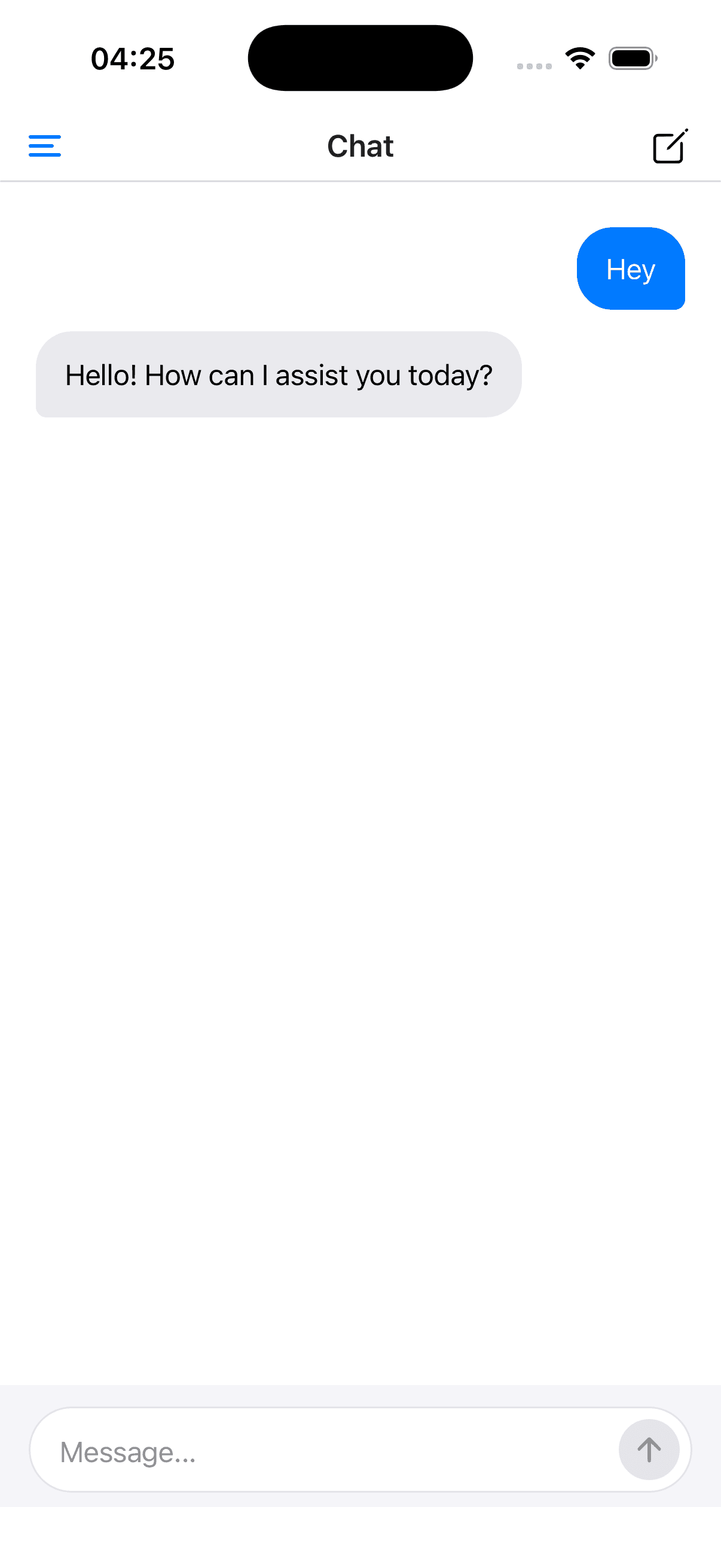
A React Native chat application built with Expo and @assistant-ui/react-native. It demonstrates drawer-based thread management, streaming OpenAI responses, and a native UI with dark mode support.
Features
- Native UI: Built with React Native primitives, without web views
- Drawer Navigation: Swipeable sidebar for thread management
- Thread Management: Create, switch, and browse conversations
- Streaming: Real-time streaming via a server-side chat API endpoint
- Dark Mode: Automatic light/dark theme support
- Keyboard Handling: The thread sits inside a
KeyboardAvoidingView
Quick Start
# Clone the repo
git clone https://github.com/assistant-ui/assistant-ui.git
cd assistant-ui

# Install dependencies
pnpm install

# Set your API key
echo 'OPENAI_API_KEY="sk-..."' > examples/with-expo/.env

# Run the example
pnpm --filter with-expo start
Code
Runtime Setup
The runtime uses useChatRuntime from @assistant-ui/ai-sdk with an AssistantChatTransport that connects to a chat API endpoint:
import { useMemo } from "react";
import {
  useChatRuntime,
  AssistantChatTransport,
} from "@assistant-ui/ai-sdk";
import { lastAssistantMessageIsCompleteWithToolCalls } from "ai";
import { Platform } from "react-native";
import {
  createAnonymousSessionFetch,
  shouldUseAnonymousSessionFetch,
} from "./anonymous-session-fetch";

const CHAT_API = process.env.EXPO_PUBLIC_CHAT_ENDPOINT_URL ?? "/api/chat";

export function useAppRuntime() {
  const transport = useMemo(
    () =>
      new AssistantChatTransport({
        api: CHAT_API,
        ...(shouldUseAnonymousSessionFetch(CHAT_API, Platform.OS)
          ? { fetch: createAnonymousSessionFetch(CHAT_API) }
          : {}),
      }),
    [],
  );
  return useChatRuntime({
    transport,
    sendAutomaticallyWhen: lastAssistantMessageIsCompleteWithToolCalls,
  });
}
The hosted docs endpoint issues signed anonymous sessions to browser demos. Native builds skip that browser-only bootstrap and should use the bundled API route or another backend intended for the app.
App Layout
AssistantRuntimeProvider wraps the Expo Router drawer layout inside a GestureHandlerRootView. The layout also handles theming, a "New Chat" button in the header, and tool registration via the provider's config. The sample is abridged: the full file also maps the theme's CSS variables onto the navigation theme and registers suggestions.
import "../global.css";
import { DarkTheme, DefaultTheme, ThemeProvider } from "expo-router";
import { Drawer, type DrawerContentComponentProps } from "expo-router/drawer";
import { StatusBar } from "expo-status-bar";
import "react-native-reanimated";
import { Pressable, View } from "react-native";
import { GestureHandlerRootView } from "react-native-gesture-handler";
import { useSafeAreaInsets } from "react-native-safe-area-context";
import { SquarePenIcon } from "lucide-react-native";
import { useUniwind } from "uniwind";

import {
  AssistantRuntimeProvider,
  AuiConfig,
  Tools,
  useAui,
  useAuiEvent,
} from "@assistant-ui/react-native";
import { ThreadList } from "@/components/assistant-ui/elements/thread-list.aui";
import { Icon } from "@/components/ui/icon";
import toolkit from "@/components/tools";
import { useAppRuntime } from "@/hooks/use-app-runtime";

function NewChatButton() {
  const aui = useAui();

  return (
    <Pressable
      accessibilityLabel="New chat"
      accessibilityRole="button"
      hitSlop={8}
      onPress={() => aui.threads.switchToNewThread()}
      className="mr-4"
    >
      <Icon as={SquarePenIcon} className="text-foreground size-[22px]" />
    </Pressable>
  );
}

function DrawerContent({ navigation }: DrawerContentComponentProps) {
  const insets = useSafeAreaInsets();
  useAuiEvent("threads.selectionChanged", () => navigation.closeDrawer());

  return (
    <View
      className="bg-background flex-1"
      style={{ paddingTop: insets.top + 12 }}
    >
      <ThreadList />
    </View>
  );
}

function DrawerLayout() {
  const { theme } = useUniwind();

  return (
    <ThemeProvider value={theme === "dark" ? DarkTheme : DefaultTheme}>
      <Drawer
        drawerContent={(props) => <DrawerContent {...props} />}
        screenOptions={{
          headerRight: () => <NewChatButton />,
          drawerType: "front",
          swipeEnabled: true,
        }}
      >
        <Drawer.Screen name="index" options={{ title: "Chat" }} />
      </Drawer>
      <StatusBar style="auto" />
    </ThemeProvider>
  );
}

export default function RootLayout() {
  const runtime = useAppRuntime();
  const config = AuiConfig({ tools: Tools({ toolkit }) });

  return (
    <GestureHandlerRootView style={{ flex: 1 }}>
      <AssistantRuntimeProvider runtime={runtime} config={config}>
        <DrawerLayout />
      </AssistantRuntimeProvider>
    </GestureHandlerRootView>
  );
}import { Thread } from "@/components/assistant-ui/elements/thread.aui";
export default function ChatPage() {
return <Thread />;
}Key Architecture
| Layer | Purpose |
|---|---|
useChatRuntime | Creates a runtime backed by an AssistantChatTransport connecting to a chat API endpoint |
AssistantRuntimeProvider | Provides the runtime to the entire app (thread and composer scopes are set up automatically) |
useAuiState((s) => s.thread) | Reactive thread state access with selector for fine-grained re-renders |
useAuiState((s) => s.composer) | Reactive composer state access |
| Primitives | ThreadMessages, ComposerInput, MessageContent, etc. |